编译环境版本
系统:Centos 7.6
Apache 2.4
PHP 7.0
Mysql 5.5
安装mysql5.5
安装cmake
# yum install gcc gcc-c++ ncurses-devel perl
# cd /usr/local/src
# wget https://cmake.org/files/v3.9/cmake-3.9.1.tar.gz
# tar -zxvf cmake-3.9.1.tar.gz
# cd cmake-3.9.1/
# ./configure
# make
# make install
安装boost
# cd /usr/local/src
https://www.boost.org/users/download/ boost官网地址
wget https://dl.bintray.com/boostorg/release/1.72.0/source/boost_1_72_0.tar.gz
# tar -zxvf boost_1_72_0.tar.gz
# cd /usr/local/src/
# wget http://mirrors.sohu.com/mysql/MySQL-5.5/mysql-5.5.60.tar.gz
# useradd -M -s /sbin/nologin mysql #新建指定用户
# mkdir -p /data/mysqldata #新建数据库目录
#chown -R mysql:mysql /data/mysqldata #设置数据库目录权限
# tar -zxvf mysql-5.5.60.tar.gz
# cd mysql-5.5.60 #进入目录
# cmake . -DCMAKE_INSTALL_PREFIX=/usr/local/mysql -DMYSQL_DATADIR=/data/mysql -DMYSQL_UNIX_ADDR=/tmp/mysql.sock -DMYSQL_USER=mysql -DDEFAULT_CHARSET=utf8 -DDEFAULT_COLLATION=utf8_general_ci -DENABLED_LOCAL_INFILE=ON -DWITH_INNOBASE_STORAGE_ENGINE=1 -DWITH_FEDERATED_STORAGE_ENGINE=1 -DWITH_BLACKHOLE_STORAGE_ENGINE=1 -DWITHOUT_EXAMPLE_STORAGE_ENGINE=1 -DWITH_EMBEDDED_SERVER=OFF -DDOWNLOAD_BOOST=1 -DWITH_BOOST=/usr/local/src/boost_1_72_0
注:重新运行配置,需要删除CMakeCache.txt文件
# rm CMakeCache.txt
# make
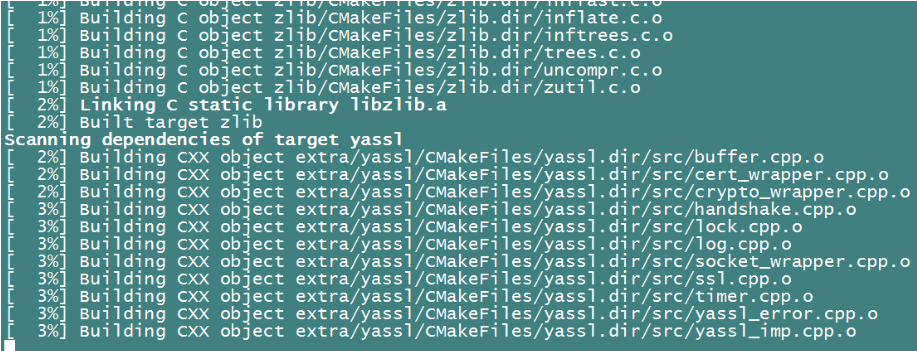
# make install
初始化mysql数据库
# cd /usr/local/mysql
# ./scripts/mysql_install_db --user=mysql --datadir=/data/mysqldata
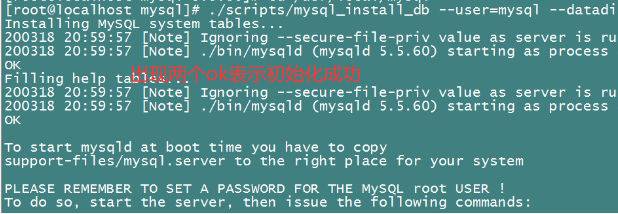
# mv /etc/my.cnf /etc/my.cnf.bak
# cp support-files/my-large.cnf /etc/my.cnf //拷贝mysql配置文件到etc目录下并改名my.cnf,
# cp support-files/mysql.server /etc/init.d/mysqld //吧启动配置程序拷贝到系统启动下
# chmod 755 /etc/init.d/mysqld //设置权限
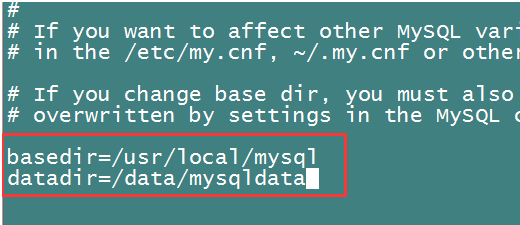
# vi /etc/init.d/mysqld //编辑mysql启动项增加以下配置
basedir=/usr/local/mysql
datadir=/data/mysqldata
# /etc/init.d/mysqld start
# chkconfig --add mysqld
# chkconfig mysqld on
# echo "PATH=$PATH:/usr/local/mysql/bin/" >> /etc/profile //设置系统变量
# source /etc/profile
# /usr/local/mysql/bin/mysqladmin -u root password my_passwd //设置MySQL密码
安装apache2.4
安装apache(apache-2.2与新出的apache-2.4安装不同的地方在于,2.4版的已经不自带apr库,所以在安装apache-2.4之前,需要下载apr。)
安装apr
apr官网地址https://mirrors.cnnic.cn/apache/apr/
也可以到https://mirrors.aliyun.com/apache/apr/下载
# cd /usr/local/src
# wget https://mirrors.aliyun.com/apache/apr/apr-1.6.5.tar.gz
# tar -zxvf apr-1.6.5.tar.gz
# cd apr-1.6.5
# ./configure --with-apr=/usr/local/apr
# make && make install
############################################
# cd /usr/local/src
# wget http://mirrors.aliyun.com/apache/apr/apr-util-1.6.1.tar.gz
# tar -zxvf apr-util-1.6.1.tar.gz
# cd apr-util-1.6.1
#./configure --prefix=/usr/local/apr-util --with-apr=/usr/local/apr
报错make[1]: *** [xml/apr_xml.lo] Error 1
# yum install expat-devel
# make && make install
# cd /usr/local/src
# wget http://mirrors.sohu.com/apache/httpd-2.4.41.tar.gz //下载apache
# tar -zxvf httpd-2.4.41.tar.gz //解压apache
# cd httpd-2.4.41 //进入apache目录
# ./configure --prefix=/usr/local/httpd --enable-so --enable-deflate=shared --enable-ssl=shared --enable-expires=shared --enable-headers=shared --enable-rewrite=shared --enable-static-support --with-apr=/usr/local/apr --with-apr-util=/usr/local/apr-util --with-mpm=prefork
报错解决办法。执行完下面安装pcre在执行初始化
configure: error: pcre-config for libpcre not found. PCRE is required and available from http://pcre.org/
# yum install pcre pcre-devel -y
报错checking whether to enable mod_deflate... configure: error: mod_deflate has been requested but can not be built due to prerequisite failures
# yum install -y zlib-devel
报错checking whether to enable mod_ssl... configure: error: mod_ssl has been requested but can not be built due to prerequisite failures
# yum install openssl-devel
解决完报错后在重新执行下初始化
# make
# make install
# cp /usr/local/httpd/bin/apachectl /etc/init.d/httpd
# chmod 755 /etc/init.d/httpd 设置权限
/etc/init.d/httpd start

/usr/local/httpd/bin/apachectl -t 测试apache2.4是否安装成功
apahce启动命令:
推荐/usr/local/httpd/bin/apachectl start apaceh启动
apache停止命令
/usr/local/httpd/bin/apachectl stop 停止
apache重新启动命令:
/usr/local/httpd/bin/apachectl restart 重启
编译php安装
# cd /usr/local/src
#wget http://mirrors.sohu.com/php/php-7.0.31.tar.gz
# tar -zxvf php-7.0.31.tar.gz
# cd php-7.0.31
# ./configure --prefix=/usr/local/php --with-apxs2=/usr/local/httpd/bin/apxs --with-config-file-path=/usr/local/php/etc --with-mysql=/usr/local/mysql --with-libxml-dir --with-gd --with-jpeg-dir --with-png-dir --with-freetype-dir --with-iconv-dir --with-zlib-dir --with-bz2 --with-openssl --with-mcrypt --enable-soap --enable-gd-native-ttf --enable-mbstring --enable-sockets --enable-exif --disable-ipv6
报错configure: error: xml2-config not found. Please check your libxml2 installation.
# yum install libxml2 libxml2-devel -y
报错 configure: error: Please reinstall the BZip2 distribution
# yum install bzip2 bzip2-devel -y
报错configure: error: jpeglib.h not found.
# yum install libjpeg libjpeg-devel -y
报错configure: error: png.h not found.
# yum install libpng libpng-devel -y
报错configure: error: freetype-config not found.
# yum install freetype freetype-devel -y
报错configure: error: mcrypt.h not found. Please reinstall libmcrypt
# yum install epel-release -y
# yum install -y libmcrypt-devel
安装完以上组件后重新执行configure步骤
# make
# make install
# cp php.ini-production /usr/local/php/etc/php.ini
apache结合php
# vi /usr/local/httpd/conf/httpd.conf
找到
<IfModule dir_module>
DirectoryIndex index.html
</IfModule>
改为
<IfModule dir_module>
DirectoryIndex index.html index.htm index.php
</IfModule>

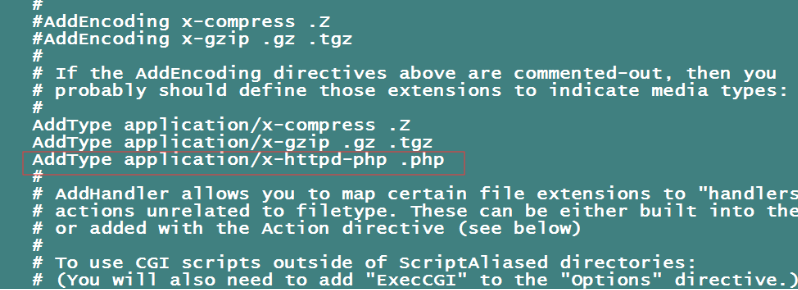
找到AddType application/x-gzip .gz .tgz 在下面添加AddType application/x-httpd-php .php
找到#ServerName www.example.com:80改为ServerName localhost:80
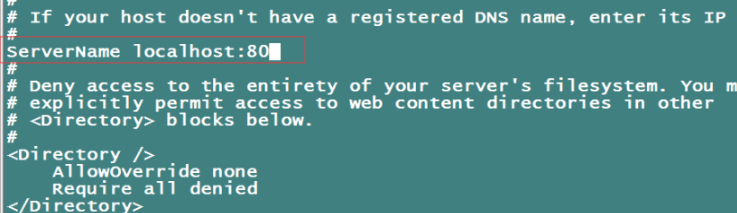
wq保存
重启动apache:
# /usr/local/httpd/bin/apachectl restart
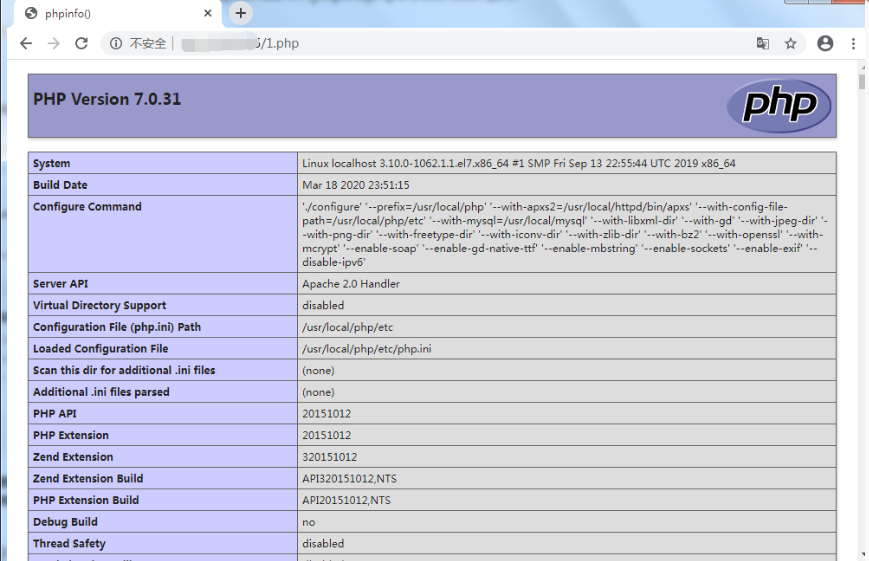
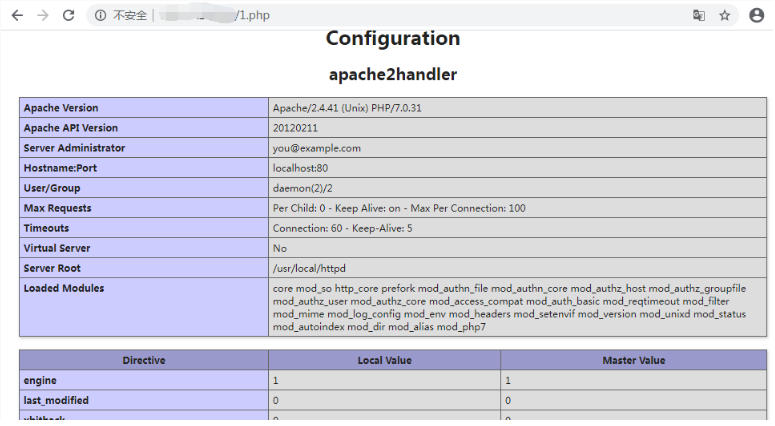
测试php
# echo "<?php phpinfo(); ?>" > /usr/local/httpd/htdocs/1.php